
If you work in construction, you know how much time goes into managing documents, tracking compliance, reviewing bids, and keeping everything moving at once. The paperwork alone can slow a project down before any real work starts.
Construction AI is changing that, not by replacing your team, but by handling the heavy, repetitive document work so your people can focus on what actually needs their attention.
Here is what construction AI really does and what features are worth looking for.
What construction AI actually means
Construction AI is software built specifically for the construction industry. It reads, understands, and works with the documents your project runs on: specs, drawings, RFIs, submittals, vendor packages, bid documents, and compliance records.
The big difference between construction AI software and a general AI tool is that construction AI actually understands your industry. It knows what a submittal log looks like, understands CSI divisions and ITP formats, and knows how an RFI workflow moves from draft to response. A general chatbot does not.
That is what makes it genuinely useful on a live project instead of just in theory.
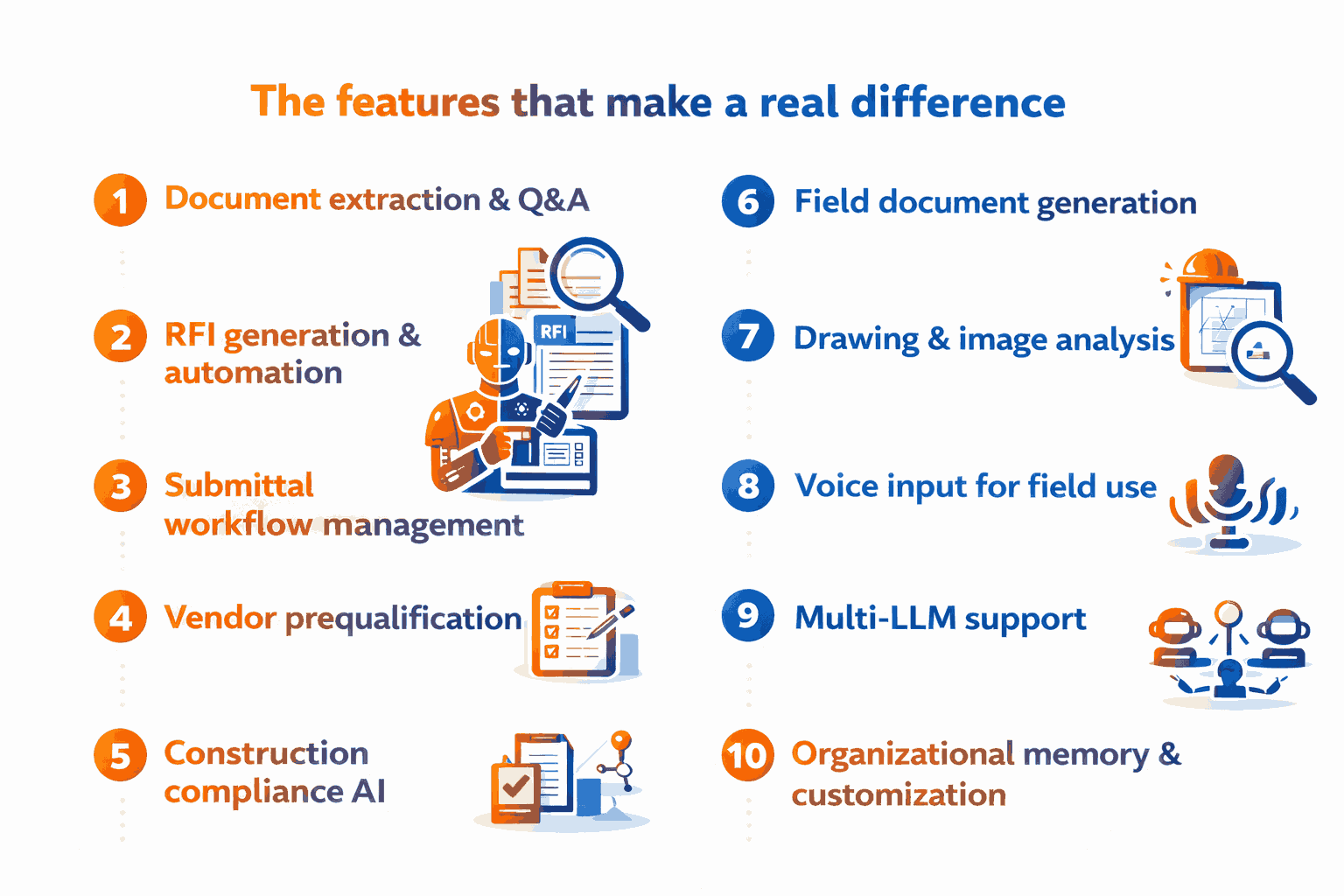
1. Document extraction and Q&A
Project teams spend a lot of time looking for information instead of acting on it. One spec book can be hundreds of pages. Add drawing sets, RFI logs, and vendor packages, and you are dealing with a serious amount of content to search through manually.
AI document management for construction solves this by letting you upload your project documents and ask plain-language questions. The AI finds the answer and shows you exactly where it came from so you can verify it. Material requirements, testing procedures, code references, and scope details are all available in seconds instead of 40 minutes of manual searching.
2. RFI generation and automation
Writing RFIs from scratch is one of the biggest time drains on any project team. A vague RFI also leads to vague responses, more back-and-forth, and delays that nobody wants.
RFI automation through construction AI takes care of the drafting. Give it the conflict, the drawing location, the parties involved, and the question that needs answering. It formats the RFI correctly, references the right spec section, and can track the full workflow from the initial RFQ through revision logs.
3. Submittal workflow management
AI checks incoming submittals against your spec requirements, flags anything missing or non-conforming, and generates the review response with the correct action code. The submittal log stays updated automatically. Nothing falls through the cracks when the project gets busy.
4. Vendor prequalification
Reviewing subcontractor packages one by one takes a full day and usually falls on whoever has the most bandwidth. AI for construction reads prequalification packages and checks EMR rates, OSHA 300 logs, certifications, financial standing, and scope fit against your project requirements all at once. Multiple vendors are compared side by side in a fraction of the usual time.
5. Construction compliance AI
Keeping up with permit requirements, building codes, and regulatory gaps across a busy project is a constant responsibility. Construction compliance AI scans your project scope and documents to identify what applies, flag what is missing, and pull relevant code references from your drawings and specs automatically. It helps your team catch issues before they turn into stop-work orders or failed inspections.
6. Field document generation
Safety plans, toolbox talks, QC checklists, ITPs, and punch lists are needed on every project without exception. Construction AI generates versions that are task-specific and project-specific based on your scope, crew size, hazards, and format requirements. Ready to use on-site without extra editing or copy-pasting from old templates.
7. Drawing and image analysis
Construction AI software can analyze drawings and site photos to extract scope details, spot conflicts between sheets, and flag discrepancies between drawings and specs. This is particularly useful during RFI management, submittal review, and preconstruction coordination, where catching conflicts early saves real money.
8. Voice input for field use
Field staff can query drawings, specs, ITPs, and checklists using voice commands during inspections and walkthroughs, no stopping to type. No pulling out a laptop on a job site. This is what makes construction AI genuinely practical in the field, not just a back-office tool.
9. Multi-LLM support
The best construction project management AI platforms do not rely on a single AI model for everything. Spec review, vendor evaluation, document generation, and compliance checking each get the model best suited to that specific task. The result is a more accurate, more reliable output across every workflow.
10. Organizational memory and customization
Construction AI that retains your document standards, terminology, RFI formats, and submittal preferences becomes more useful over time. Every output already aligns with the way your team works without anyone reconfiguring anything on each new project.
What to look for in a construction AI platform
Not every platform delivers on all of these, and some general AI tools get rebranded as construction-specific without real depth behind them. When you are evaluating construction AI software, these are the questions worth asking.
Is it built specifically for construction or just a general tool with a new label?
- Can it work with your actual project documents, including PDFs, drawings, and specs?
- Does it connect with Procore, SharePoint, and Google Drive?
- Does it show where every answer came from so your team can check it?
- Is your data protected with role-based access and encrypted storage?
- Does it support voice input?
- Does it apply different AI models depending on the task?
The platform that answers yes to all of these is worth serious consideration.
Choosing the best construction AI
Most construction teams trying to adopt AI end up using three or four separate tools to cover documents, RFIs, compliance, and field use. It creates friction and slows adoption.
Bob: The agentic construction AI platform brings every feature covered in this guide into one place.
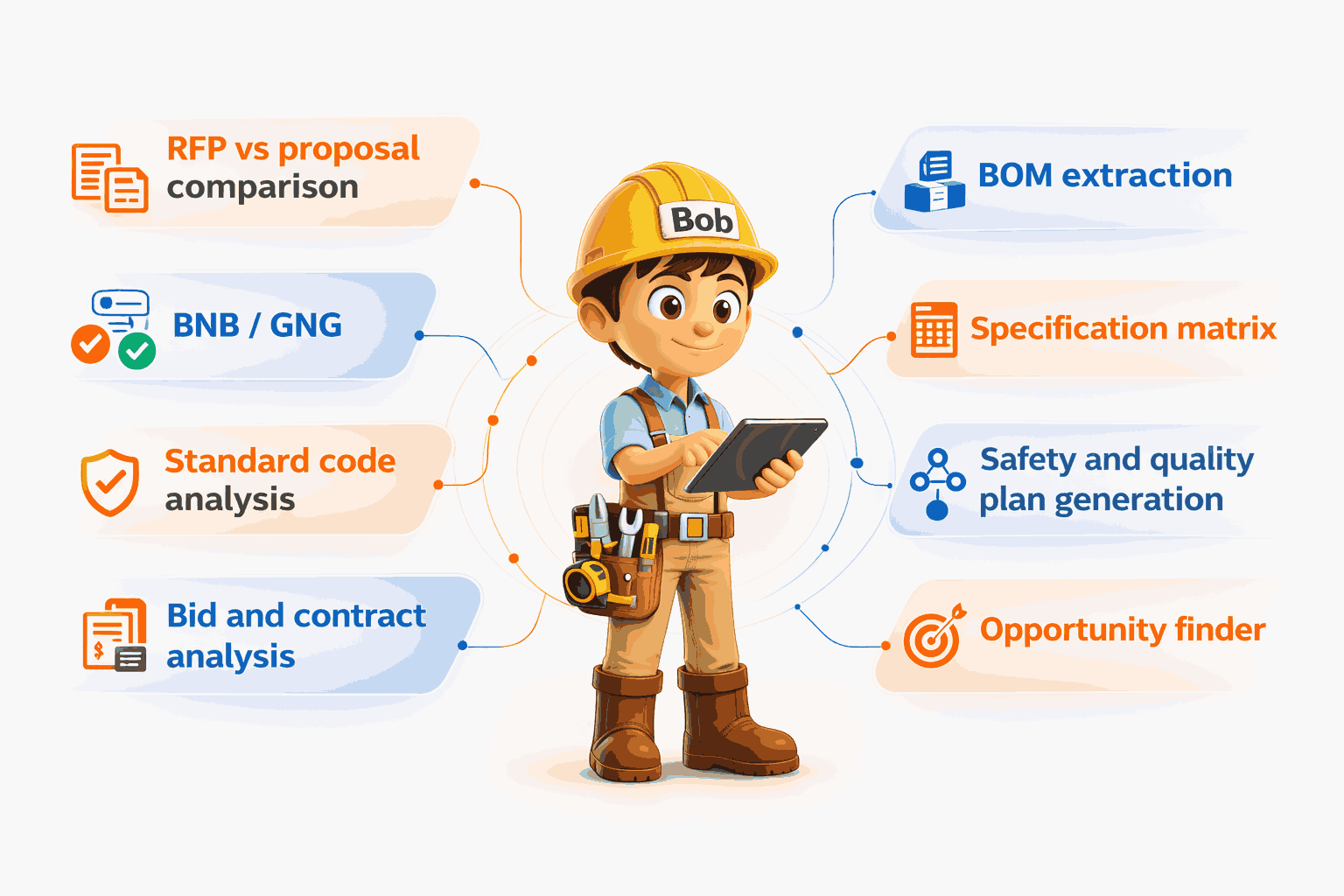
Here is what Bob covers
RFP vs proposal comparison:
Bob surfaces every scope gap and pricing deviation against your RFP instantly, so nothing gets missed during bid evaluation.
BNB / GNG (bid or no-bid / go or no-go):
Bob delivers a structured go or no-go recommendation on every bid before resources are committed, giving your team a clear, evidence-based decision.
BOM extraction:
Bob generates procurement-ready material lists directly from drawings and specs, removing the manual work of building bills of materials from scratch.
Specification matrix:
Bob converts dense project specs into a structured, searchable requirements matrix that every team member can use without digging through the original document.
Standard code analysis:
Bob checks your designs against ACI, ASTM, ASCE, and NEC standards and flags compliance gaps automatically before they become field problems or failed inspections.
Bid and contract analysis:
Bob extracts obligations, risk clauses, and notice periods from bid documents and contracts, with every finding linked back to its source.
Safety and quality plan generation:
Bob generates method statements, ITPs, and quality plans directly from project scope, ready to use without manual formatting or template editing.
Opportunity finder:
Bob aggregates and filters tenders by capability with real-time alerts so your team never misses a relevant bid and spends zero time on manual tender searching.
Voice input:
Field staff can query Bob hands-free on site during inspections, walkthroughs, and field reviews.
Multi-LLM support:
Bob applies the most appropriate AI model from OpenAI, Anthropic, Google, and xAI for each specific construction task, improving accuracy and reliability across the platform.
Integrations:
Bob connects directly with Procore, SharePoint, and Google Drive so your team works inside the tools they already use.
Security:
Role-based access controls, encrypted data storage, and source-linked responses on every answer.
Construction AI is not a future investment. Teams using it today are closing RFIs faster, qualifying vendors in hours, and generating field documents in minutes. The competitive gap between teams using it and those that are not is already widening.
Still spending hours on documents that AI can handle in minutes?
Your next project does not have to run that way. Bob brings construction AI into your existing workflows with Procore, SharePoint, and Drive built right in.
FAQs
What is construction AI?
Construction AI is software built for the construction industry that reads and works with project documents like specs, RFIs, drawings, and submittals to help teams find information faster, automate workflows, and cut down on manual document work.
How does construction AI help with RFI automation?
Construction AI drafts RFIs by identifying the conflict, referencing the right spec section, formatting the document, and logging it automatically. It reduces drafting time and produces cleaner RFIs that get resolved faster.
Can construction AI read drawings and specifications?
Yes. Construction AI platforms analyze PDFs, drawings, and spec documents to extract material requirements, code references, and scope details without manual review.
What is the difference between general AI and construction AI?
General AI tools are not built for construction documents or workflows. Construction AI understands CSI spec formats, RFI and submittal processes, industry terminology, and integrates with tools like Procore and SharePoint.
Is construction AI secure for project documents?
Platforms with encrypted storage, role-based access controls, and source-linked responses are safe to use with project documents. Always check how a platform handles your data before uploading sensitive project information.
Does construction AI work with Procore?
Some platforms integrate directly with Procore, SharePoint, and Google Drive. Bob connects with all three.
What documents can construction AI work with?
Construction AI platforms work with PDFs, spec books, drawings, RFI logs, submittal registers, vendor prequalification packages, site photos, inspection records, and contract documents.
Does construction AI replace project managers?
No. Construction AI handles repetitive document work so project managers and field teams can focus on decisions, relationships, and on-site issues that need real experience and judgment.
What is multi-LLM support in construction AI?
It means the platform applies different AI models for different tasks, using the most accurate one for spec review, vendor evaluation, or compliance checking rather than one model for everything.
How quickly can a construction team get started with AI?
With the right platform, teams can be up and running in under five minutes with no setup fees, no IT project, and no training needed to start getting value right away.